
Useful at a glance.
Personal by design.
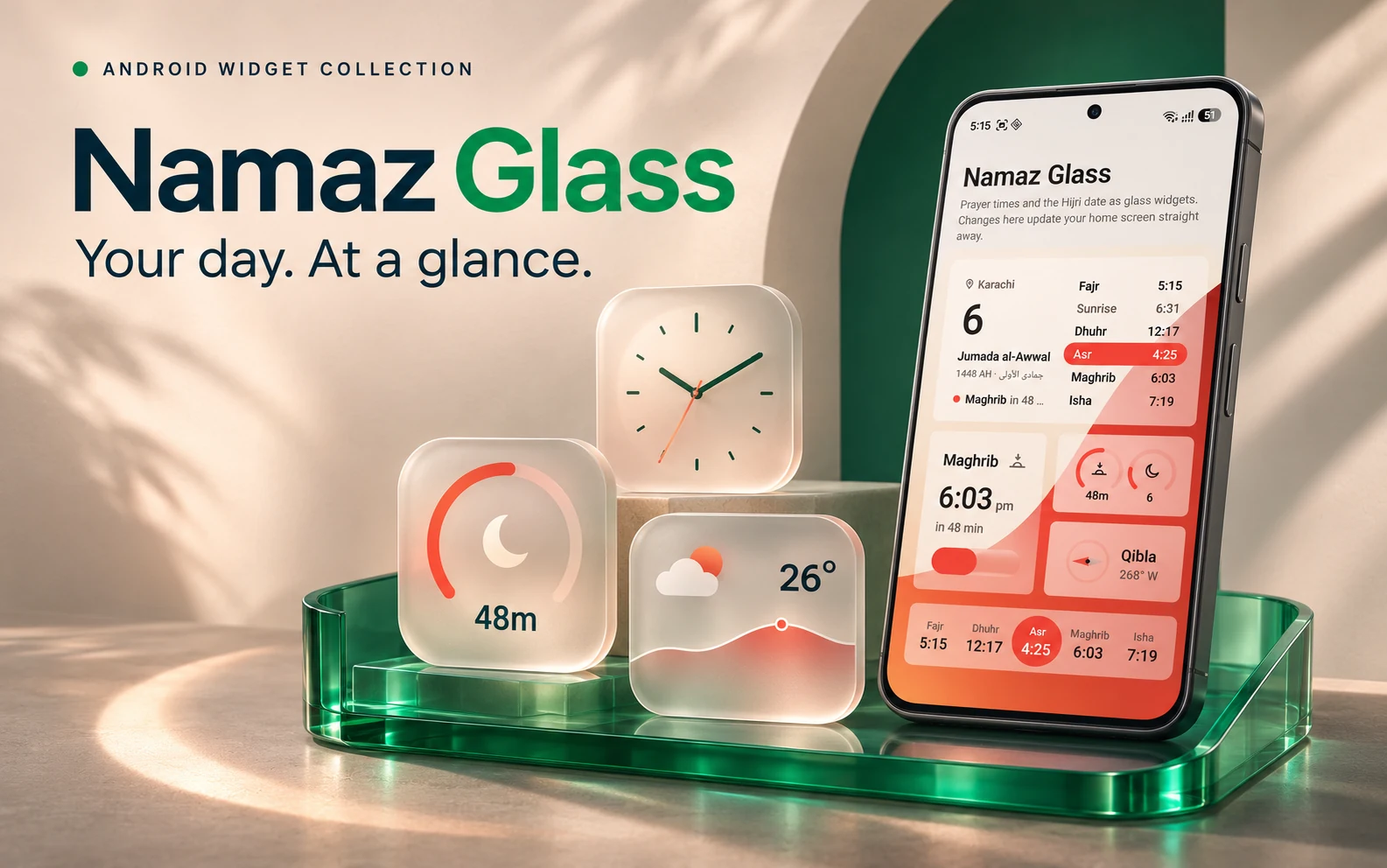
An Android widget application bringing prayer times, the Hijri date, clocks and weather into a configurable glass interface on the home screen.
Actual supplied Android app screenshot. Widget times and weather reflect the captured device state. Display and blur behavior vary by launcher; prayer calculations and location settings should be reviewed for the intended audience.
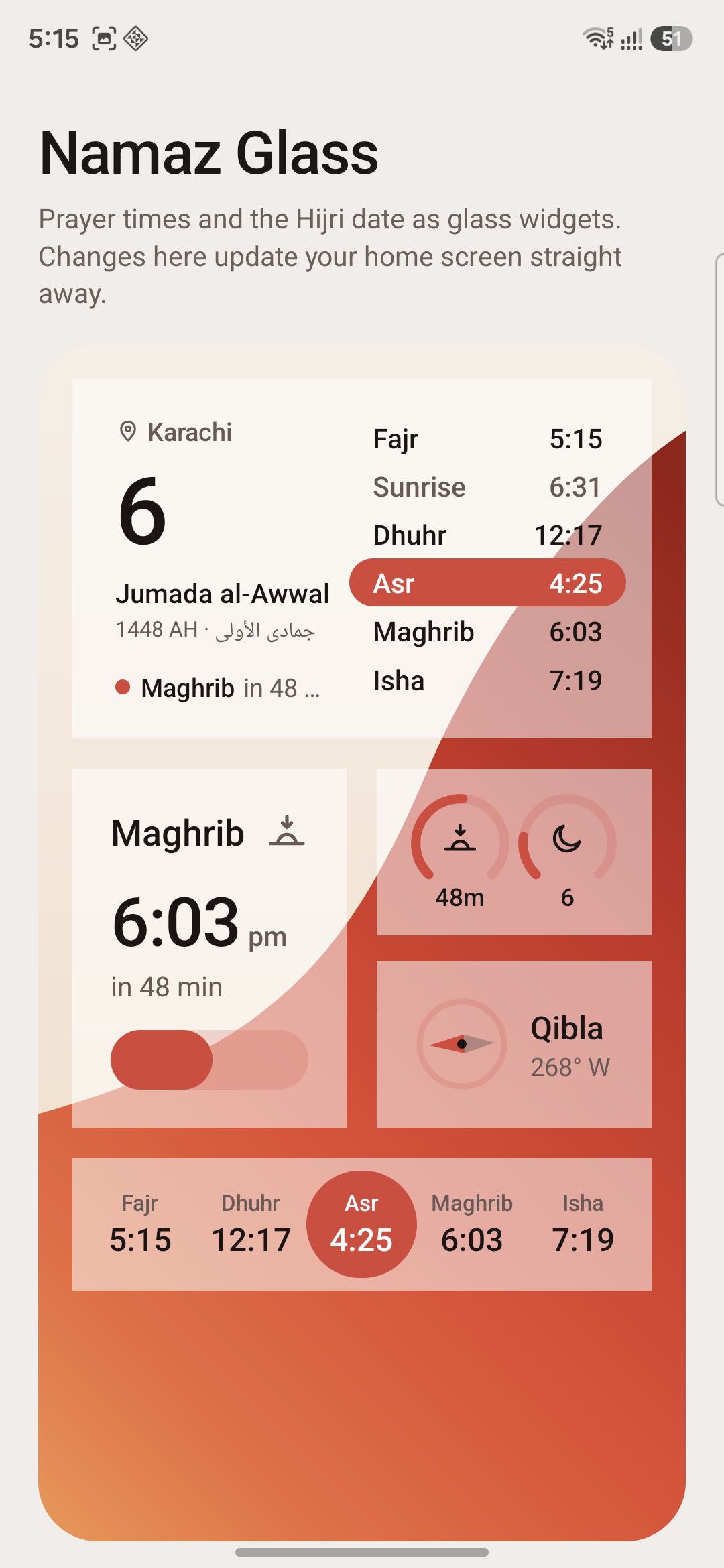
Actual supplied Android app screenshot. Widget times and weather reflect the captured device state. Display and blur behavior vary by launcher; prayer calculations and location settings should be reviewed for the intended audience.
Make useful information available without opening another app.
Prayer times, the next-prayer countdown, the date and local weather all need to be quickly readable. The project explores how these different information types can share a consistent visual system while adapting to widget size and user preferences.
Design a family of widgets, rather than isolated screens.
Namaz Glass includes a prayer timetable, next-prayer display, countdown and moon rings, a Qibla widget and a prayer strip. Clock and weather layouts extend the same system. The configuration app supports calculation settings, city or GPS location, date offsets, time format and appearance controls.
- Prayer timetable, next-prayer countdown and Hijri date
- Qibla bearing for the selected location
- Multiple clock, date and weather widget layouts
- Calculation-method, fiqh, location and time-format settings
- Configurable accent, tint and glass appearance
A configurable Android widget experience.
The supplied Android project includes widget providers, prayer-time calculation logic, configuration screens and device captures. Appearance depends on the launcher: supported Samsung launchers can apply wallpaper blur, while other launchers use a translucent treatment. No app-store release, installation count or adoption result is claimed.
Explore the workflow.
Discuss your use case.
Actual supplied Android app screenshot. Widget times and weather reflect the captured device state. Display and blur behavior vary by launcher; prayer calculations and location settings should be reviewed for the intended audience.
Request a guided walkthrough ↗Let's build around
the way you work.
Share your process, your users and what needs to improve.
Discuss your application ↗